Zakri Cargo
China-to-Brunei parcel forwarding, end to end: invoices, trip manifests, attachments, an admin console and a camera barcode and QR scanner tested on real courier labels. Malay first, English second.
What it does
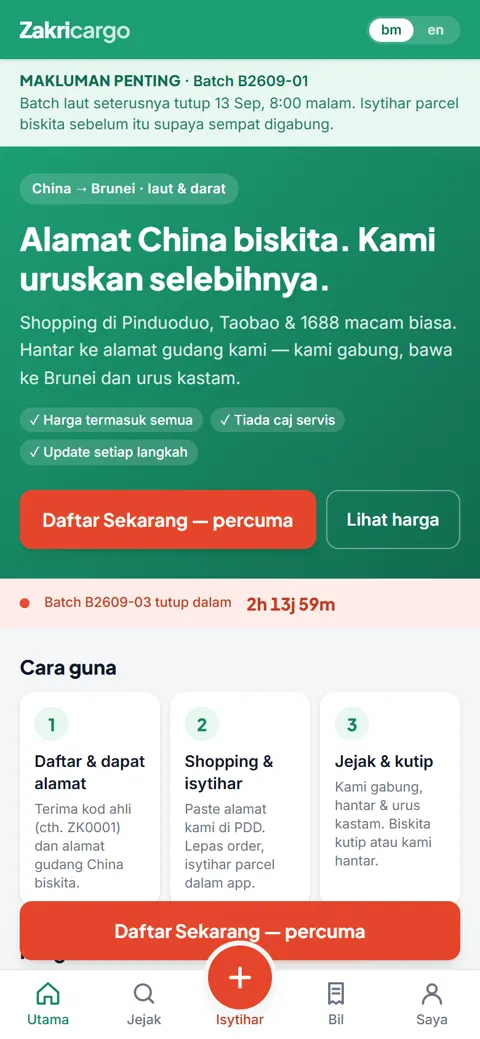
Zakri Cargo forwards parcels bought on Chinese marketplaces to Brunei. Before the app, members declared parcels in chat and the team matched them by hand against courier stickers. Now a member signs up with a WhatsApp number, gets a China warehouse address in a minute, declares what is coming, and follows each parcel from the China warehouse to collection in Brunei.
How it is built
- A Vue 3 customer app, installable on the phone, Malay first with English a tap away.
- A Hono API on Cloudflare Workers, with D1 for records, KV for sessions and R2 for attachments.
- Web Push for status changes, and a digest for the ops team every morning at eight.
- A camera scanner in the browser that reads barcodes and QR codes straight off courier labels.
Worth pointing out
The scanner was tested on real, crumpled courier stickers before it shipped, not just on clean test codes. Pricing tiers, warehouse details and the exchange rate live in the admin console, so the team changes them without calling a developer.
How it works, screen by screen
Home
- The customer app as it is live today: what the service does, the current batch countdown, and how to start in three steps.
- Malay first, English a tap away, installable on the phone's home screen.
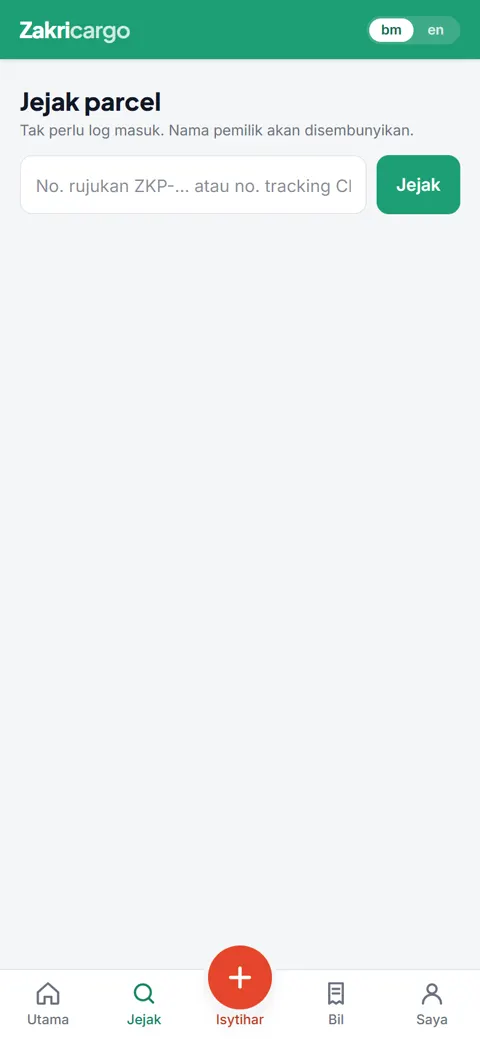
Track a parcel
- Anyone can track by the seller's tracking number or the Zakri reference, without logging in.
- Status changes push a notification to the phone, so nobody refreshes a page all day.
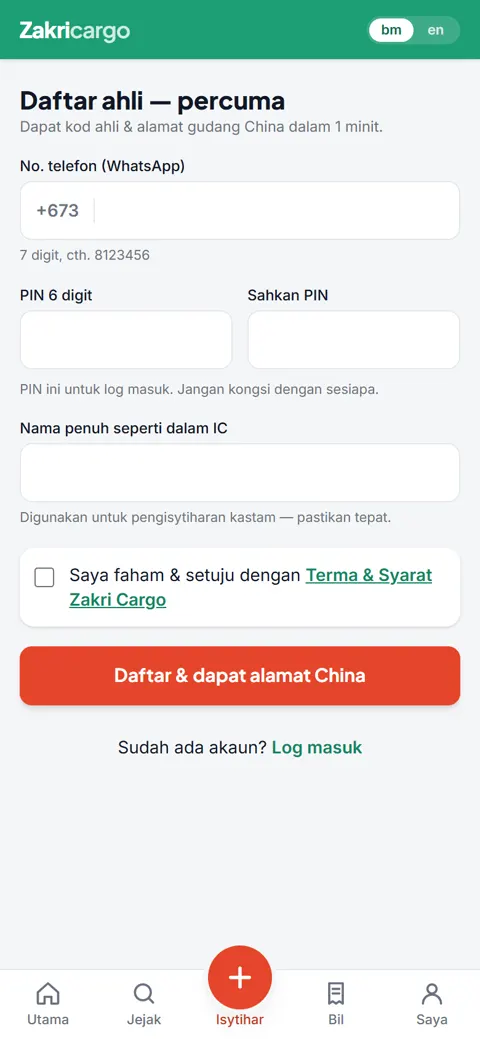
Sign up
- WhatsApp number plus a six-digit PIN, and the member gets a China warehouse address in a minute.
Inbound scan
- Ops points the phone camera at the courier sticker; the barcode or QR matches the declared parcel and the status moves on its own.
- Weight and size are keyed once, and the bill follows the pricing tier automatically.
- Anything the scanner cannot match lands in a short list to sort out by hand.
Trips and invoices
- A trip groups every parcel on one shipment, with its manifest and attachments in one place.
- Invoices are generated from the parcels on the trip, adjusted where needed, and marked paid by transfer or cash.
- The customer sees the same invoice on their side the moment it is issued.
Admin console
- Pricing tiers, warehouse details and exchange rate live in settings, not in code.
- Staff accounts are role-based; the founder account cannot be edited from the screen.
- A daily digest goes to the team each morning at eight.
Public screens are the live app; the ops side is an illustrative mockup, never customer records. Want the real thing? It is shown in person, not online.